Screenshots
The extension in these pictures is the real one. The page behind it is a stand-in with invented example chats, not the actual site.
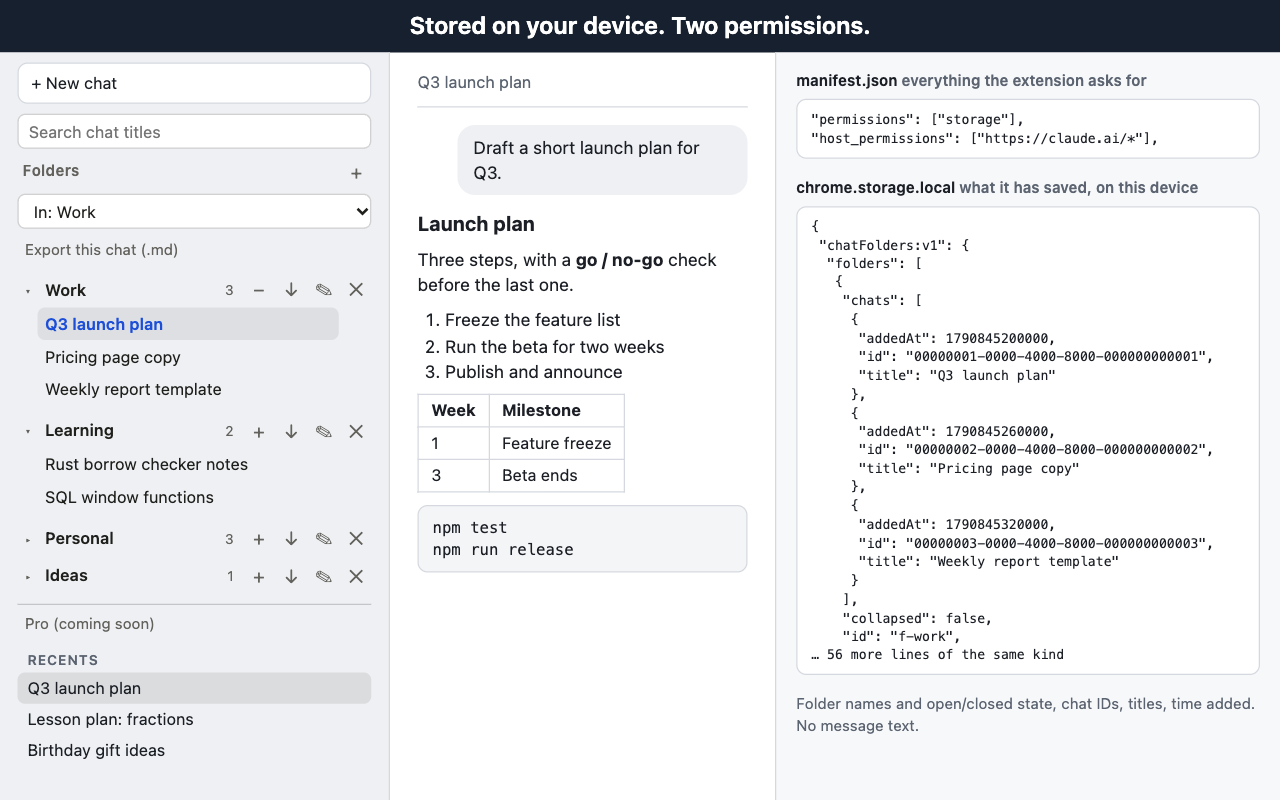
What it does
Folders
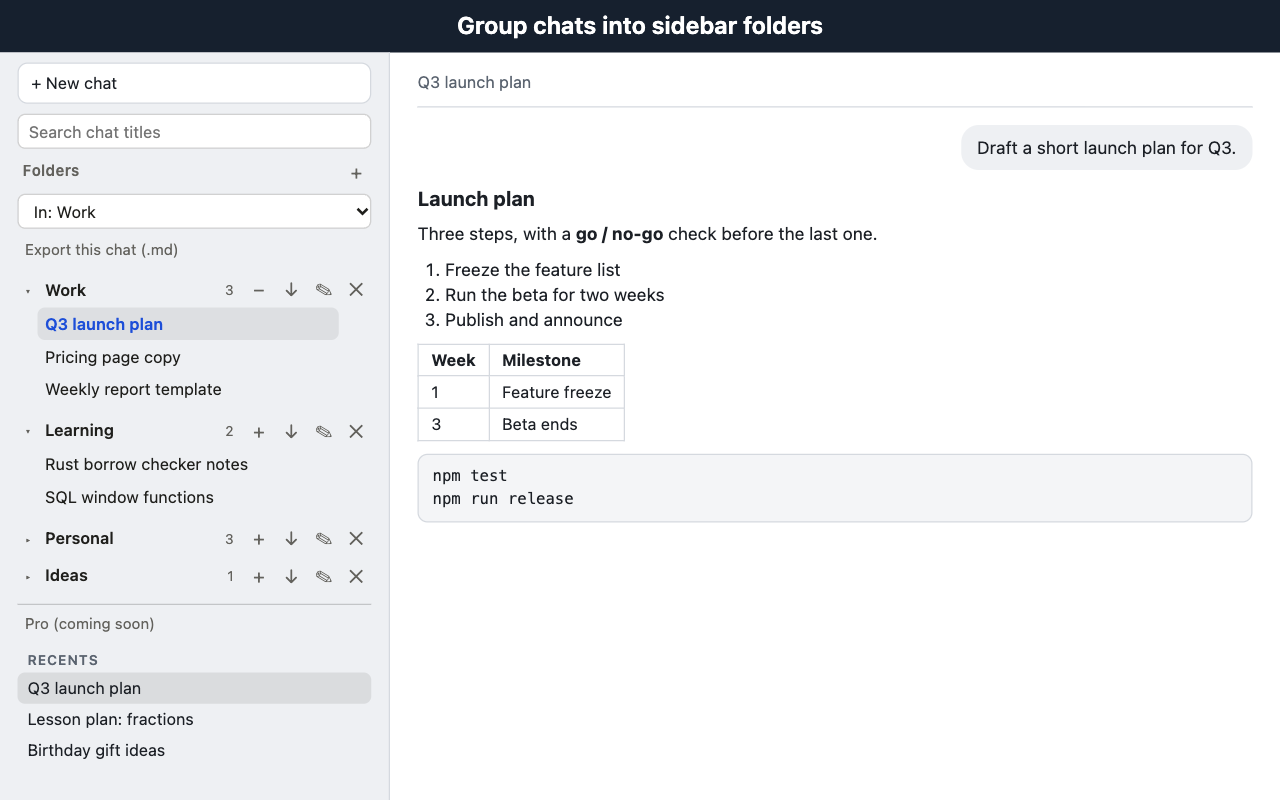
Create, rename, delete, collapse and expand folders. Add the chat you have open from the dropdown or the + button on a folder, and take it out again with −.
Open and drag
Click a chat inside a folder to open it. Drag a chat from the sidebar onto a folder (works where the browser lets the link be dragged).
Title search
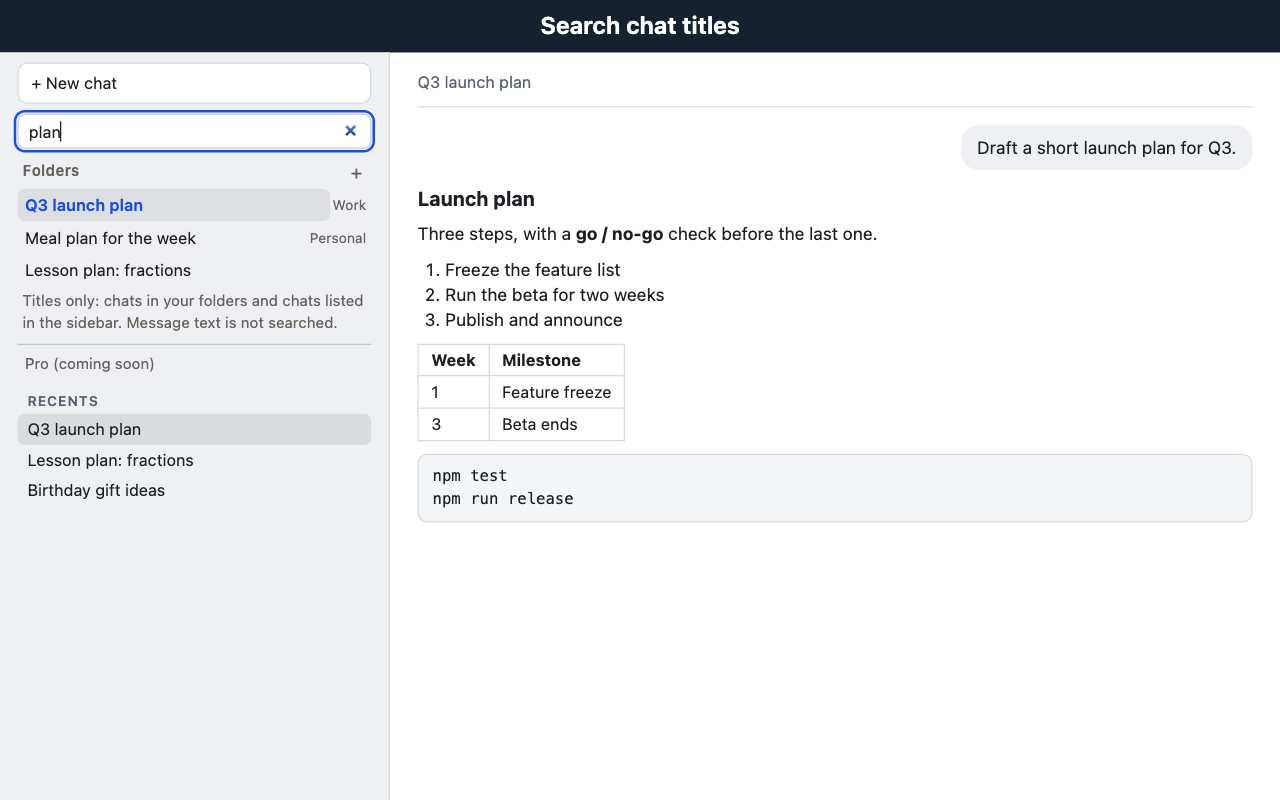
The box above the section filters by title: case-insensitive, every word must match. It covers chats in your folders and chats currently listed in the sidebar.
Markdown export
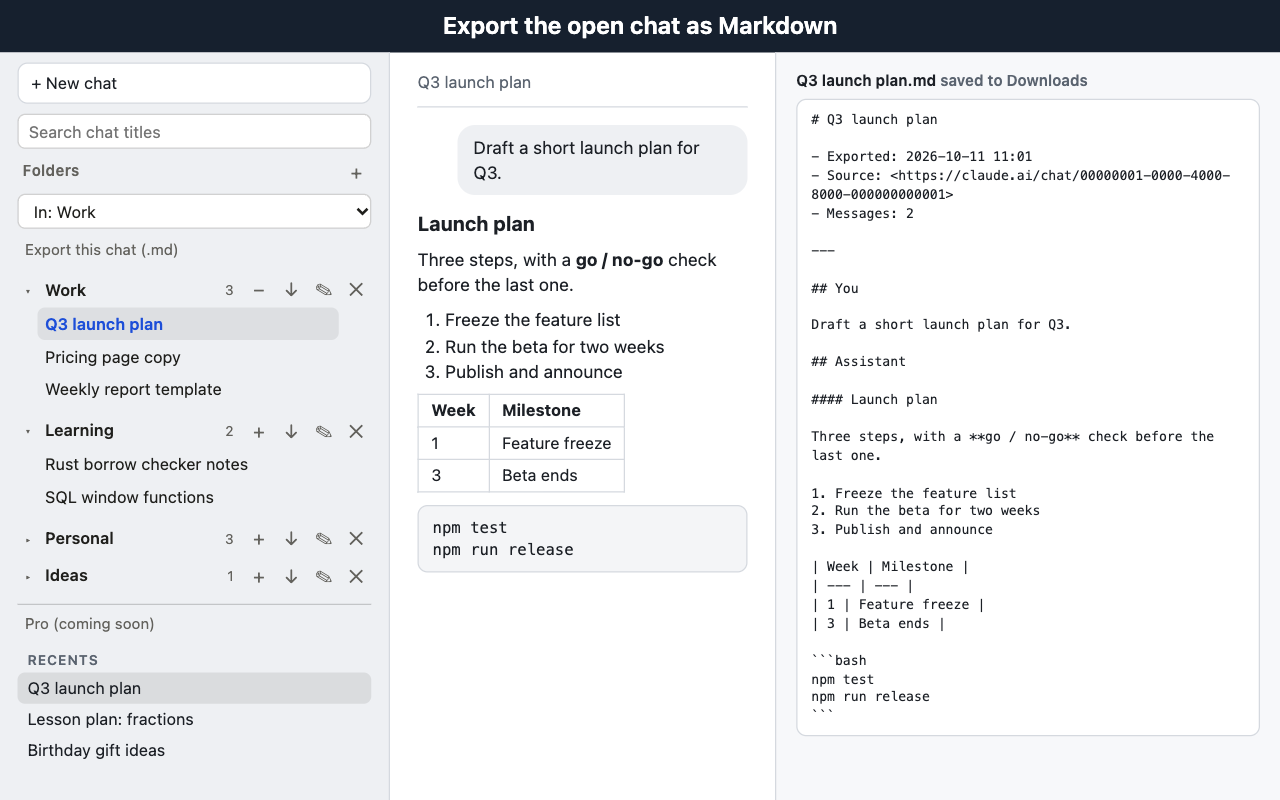
Export this chat (.md) saves the open chat as a file: title, export time, who said what, code blocks, lists, tables and links.
Folder chat list
The ↓ button on a folder saves the titles and links of its chats as a .md list.
Fallback button
If the sidebar cannot be found (collapsed, or the site changed its layout), a small Folders button appears at the bottom right of the page instead.
A chat lives in one folder at a time. Adding it to another folder moves it.
What it doesn't do
- It does not search message text. Titles only, and only titles it can see: filed chats and whatever the sidebar lists at that moment.
- It does not export a whole folder with message text. A folder export is a list of titles and links. Message text can only be exported from the chat you have open.
- It does not sync between devices. Folders stay on the device where you made them.
- It does not delete or change conversations. Deleting a folder only removes the grouping.
- It does not capture everything in an export. Images, attachments and interactive panels become a placeholder or are left out, and the file carries the export time, not the time each message was written.
- It does not coordinate two tabs. Folders edited in two tabs at once use last-write-wins.
- It is not immune to redesigns. The site's markup changes without notice. A large redesign can push the extension into the floating button, and if the message markup changes the export button disappears rather than producing a broken file.
Permissions
| Permission | Why |
|---|---|
storage | Saves your folders in chrome.storage.local, on this device only. |
Host access to https://claude.ai/* | Lets the extension draw the Folders section on that site. It runs nowhere else. |
Nothing else is requested: no tabs, no history, no cookies, no downloads, no background worker. Exports are saved with an ordinary download link created on the page.
Privacy
- No network requests. The extension never sends anything anywhere. There is no server, no analytics and no remote code. It does not call the site's internal APIs and does not read cookies.
- Message text is read only when you press an export button, and only for the chat you have open. It becomes a file your browser saves on your device. It is not stored by the extension.
- What is saved: your folder names and whether each is collapsed; for each chat you file, its ID, its title as shown in the sidebar and the time you added it; and the time you pressed I'm interested, if you did.
- Where:
chrome.storage.local. Not synced. Removing the extension removes the data. - One link out. Pressing I'm interested in the extension's Pro panel opens this page in a new tab. No data about your chats or folders is attached.
This web page (not the extension) counts visits and button presses. The details are in the privacy policy.
Pro (coming soon)
$19 one-time (planned). Not built yet. No payment.
Features we are considering:
- Search inside message text
- Export a whole folder with message text
- Sync folders between devices
None of it exists today, and nothing on this page or in the extension takes money. The button below only tells us that one more person would want it. It asks for no email and no name.
Thanks — noted. We'll decide based on interest.
FAQ
Does it read my conversations?
It only looks at what is already on the page. Message text is read only when you press an export button, and only for the chat you have open. It becomes a file your browser saves on your device. It is not stored by the extension and not sent anywhere.
If I delete a folder, are the chats in it deleted?
No. Deleting a folder never deletes a conversation. It only removes the grouping.
Does search look inside messages?
No. It searches titles only: chats in your folders and chats the sidebar lists at that moment. Older chats the sidebar has not loaded are not found.
Do folders sync between my devices?
No. Folders are kept in chrome.storage.local on the device you created them on. Removing the extension removes the data.
What happens when the site changes its layout?
If the sidebar cannot be found, a small Folders button appears at the bottom right of the page instead. If the message markup changes, the export button disappears rather than producing a broken file.